LEARN TO BUILD YOUR OWN WEBSITE (suitable for beginners. Beginners must attend all sessions)
This session is aimed at helping you get started from the ground up to build your own website. At the end of the 4 sessions you will have a functional website and understand the basic concepts you will need if you choose to take this further.
Session 1: 1 July 2021 Foundation Concepts
Session 2: 8 July 2021: Web Hosting and Setting Up, Accessing your own lab
Session 3 : 15 July 2021 Creating Websites, Settings, Design Elements
Session 4: 22 July 2021: Design Elements, Content Management
Session 5: 5 August July 2021: [Optional] Unstructured Session, Participant-led topics, Get Extra Help
Prerequisites:
A fully charged computer/ laptop
A reliable internet connection (sufficient data to handle at least 2 hours of video conference and some downloads if required)
IMPORTANT: IF YOU WANT TO USE THIS SESSION TO DEVELOP A WEBSITE THAT YOU WANT TO USE AFTERWARDS THEN PLEASE SIGN UP FOR A DOMAIN AND HOSTING. Below are some links to help you.
AFRIHOST. You will get 50% off your first month of hosting. You will also get a free domain if you choose a ‘CO.ZA’ domain.
SIVE.HOST. You can get hosting as low as R10 a month.
You can google “Hosting Company” and compare. Once you choose sign up for the domain (web address) that you want and a web hosting package. (ask them if they use ‘CPanel’. This will help you to follow what the rest of the class is doing.)
If you need a venue with wifi then please contact the admin in advance (contact details under contact us).
Audience and Preparation
No prior knowledge required ( You should be computer-literate and well-versed with basic applications like Microsoft Word and Excel)
You will not be expected to code or use programming languages.
Although these are guided sessions, work will be required outside these sessions and the outcome is dependent on the time and effort that you chose to invest in learning this.
If you have a good grasp of using Microsoft Office (e.g. MS Word, Excel, Powerpoint) then a lot of the concepts will be easier for you
LEARN TO BUILD YOUR OWN WEBSITE (suitable for beginners, must attend both sessions)
This session is aimed at helping you get started from the ground up to build your own website. At the end of the 2 sessions you will have a functional website and understand the basic concepts you will need if you choose to take this further.
Session 1: 18 April 2020: Setting Up and Concepts
Session 2: 25 April: Managing Content
Prerequisites:
A fully charged computer/ laptop
A reliable internet connection (sufficient data to handle an hour of video conference and some downloads if required)
IMPORTANT: IF YOU WANT TO USE THIS SESSION TO DEVELOP A WEBSITE THAT YOU WANT TO USE AFTERWARDS THEN PLEASE SIGN UP FOR A DOMAIN AND HOSTING BY CLICKING HERE. You will get 50% off your first month of hosting. You will also get a free domain if you choose a ‘CO.ZA’ domain. You are free to also use other hosting companies.
Audience and Preparation
No prior knowledge required
Although these are guided sessions, work will be required outside these sessions and the outcome is dependent on the time and effort that you chose to invest in learning this.
Please note that for security reasons, access will only be given to the zoom username you registered for the event with.
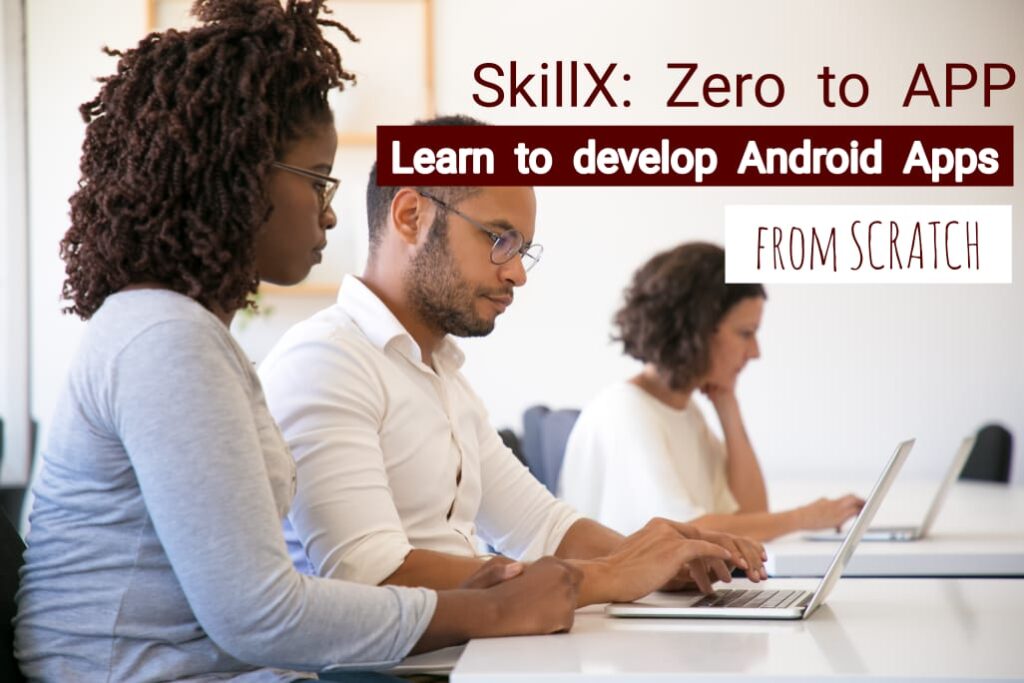
Learn to build your own Android App.
Learn to build an Android App in this ZERO to APP series. We will be getting our hands dirty and building our apps in this guided session. The prep sessions have been laying the foundation to ensure that you have a firm understanding of concepts required to get the most benefit from the session.
If you missed the prep sessions, once you have signed up for the paid session you will get access to recordings of the prep session leading up to this event. Please spend time going through the sessions and activities suggested. This will give you a solid foundation.
To get the most value out of this session, we recommend you do the following:
1.Watch the prep sessions or use resources available to you such as videos on YOUTUBE. Topics to get a basic understanding of :
Android Studio (Install it on the computer that you will be using on the day of the workshop. Become familiar with its layout and terminology e.g. what is an activity)
Java and Kotlin Programming Concepts
2. Read material and practice any activities sent to you prior to the session. You may use java code playgrounds such as sololearn.com to practice
Prerequisites:
A positive attitude, focus and a willingness to learn. (what you get out of the session is determined by your participation)
Android Studio Installed and Functional
Reliable internet connection:
A fully charged laptop with Android Studio installed and working
Data on your phone or other device that your laptop can connect to as a backup
You need to have prepared by understanding the basics of JAVA (Start now. If you are struggling, reach out to us).
About SkillX
Join SkillX skills exchange programme now. SkillX is a community of professionals who come together to share practical knowledge and competencies across all professions and knowledge areas. Members gain access to exchange knowledge available through a pool of other professionals. Knowledge is shared by providing practical demonstration to allow you to start confidently applying what you have learnt. As a member you also need to share as others have shared with you. Various formats are available including small couch/ coffee chats. You are not required to share in formats that you are not comfortable in.
Signup on www.skillx.co.za to receive your content after the session.
You will need to register for free tickets for this session:
Please note that for security reasons, only the Zoom usernames that are registered on the ticket will be granted access to the session.
What is Jupyter NoteBook?
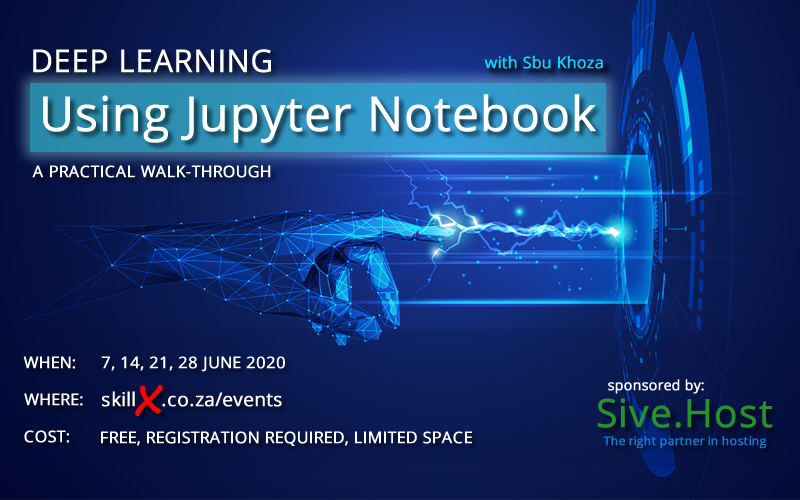
The Jupyter Notebook is an open-source web application that allows you to create and share documents that contain live code, equations, visualizations and narrative text. Uses include: data cleaning and transformation, numerical simulation, statistical modeling, data visualization, machine learning, and much more. Our Main Contributor Sbu Khoza will take us through a practical prepared example of how to perform deep learning using Jupyter NoteBook. The aim is to get you comfortable enough with the tool to start using it with confidence for your own usecases.
Prerequisites:
A positive attitude, focus and a willingness to learn and contribute. (what you get out of the session is determined by your participation)
A bit of background knowledge of what Jupyter Notebook is: Please visit https://jupyter.org/ to find out more.
A solid understanding of some basic statistics and or programming and data modelling skills.
Reliable internet connection, data on your phone or other device that your laptop can connect to as a backup
You will need to register for free tickets for this session:
Please note that for security reasons, only the Zoom usernames that are registered on the ticket will be granted access to the session.
What is Jupyter NoteBook?
The Jupyter Notebook is an open-source web application that allows you to create and share documents that contain live code, equations, visualizations and narrative text. Uses include: data cleaning and transformation, numerical simulation, statistical modeling, data visualization, machine learning, and much more. Our Main Contributor Sbu Khoza will take us through a practical prepared example of how to perform deep learning using Jupyter NoteBook. The aim is to get you comfortable enough with the tool to start using it with confidence for your own usecases.
Prerequisites:
A positive attitude, focus and a willingness to learn and contribute. (what you get out of the session is determined by your participation)
A bit of background knowledge of what Jupyter Notebook is: Please visit https://jupyter.org/ to find out more.
A solid understanding of some basic statistics and or programming and data modelling skills.
Reliable internet connection, data on your phone or other device that your laptop can connect to as a backup
You will need to register for free tickets for this session:
Please note that for security reasons, only the Zoom usernames that are registered on the ticket will be granted access to the session.
What is Jupyter NoteBook?
The Jupyter Notebook is an open-source web application that allows you to create and share documents that contain live code, equations, visualizations and narrative text. Uses include: data cleaning and transformation, numerical simulation, statistical modeling, data visualization, machine learning, and much more. Our Main Contributor Sbu Khoza will take us through a practical prepared example of how to perform deep learning using Jupyter NoteBook. The aim is to get you comfortable enough with the tool to start using it with confidence for your own usecases.
Prerequisites:
A positive attitude, focus and a willingness to learn and contribute. (what you get out of the session is determined by your participation)
A bit of background knowledge of what Jupyter Notebook is: Please visit https://jupyter.org/ to find out more.
A solid understanding of some basic statistics and or programming and data modelling skills.
Reliable internet connection, data on your phone or other device that your laptop can connect to as a backup
You will need to register for free tickets for this session:
Please note that for security reasons, only the Zoom usernames that are registered on the ticket will be granted access to the session.
What is Jupyter NoteBook?
The Jupyter Notebook is an open-source web application that allows you to create and share documents that contain live code, equations, visualizations and narrative text. Uses include: data cleaning and transformation, numerical simulation, statistical modeling, data visualization, machine learning, and much more. Our Main Contributor Sbu Khoza will take us through a practical prepared example of how to perform deep learning using Jupyter NoteBook. The aim is to get you comfortable enough with the tool to start using it with confidence for your own usecases.
Prerequisites:
A positive attitude, focus and a willingness to learn and contribute. (what you get out of the session is determined by your participation)
A bit of background knowledge of what Jupyter Notebook is: Please visit https://jupyter.org/ to find out more.
A solid understanding of some basic statistics and or programming and data modelling skills.
Reliable internet connection, data on your phone or other device that your laptop can connect to as a backup
LEARN TO BUILD YOUR OWN ANDROID APP (suitable for beginners, preparation work required)
This session is aimed at helping you get started from the ground up. To get the most value out of this session, we recommend you do the following:
1.Join free online prep sessions prior to the event.
2. Read material sent to you prior to the session.
3. Use resources available online such as YOUTUBE to start understanding the basics of programming in JAVA.
4. Download and install Android Studio on the laptop you will be using on the day.
Prerequisites:
WI-FI will be available but in case of load-shedding, please bring the following:
A fully charged laptop with Android Studio installed and working
Data on your phone or other device that your laptop can connect to as a backup
You need to have prepared by understanding the basics of JAVA (Start now. If you are struggling reach out to us).
Public Transport: The location is less than 1km away from a gautrain bus station. For R30, you also have the option to pay for a shuttle and travel with other members to and from Rosebank Gautrain Station. To book the shuttle please add during your ticket purchase.
Leading up to the Main Zero to App Session on 30 April 2020, we have created free guided preparation session in which you will build your knowledge from the ground up. These sessions aim to:
Explain foundation concepts you will need to start building Android Apps
Understand your needs and expectation
Assist you in setting up you computer for the practical session on 30 April 2020
Provide you with course material content and links
Prerequisites:
A computer/ laptop
A reliable internet connection (sufficient data to handle an hour of video conference and some downloads if required)
Audience and Preparation
No prior knowledge required
Although these are guided sessions, work will be required outside these sessions and the outcome is dependent on the time and effort that you chose to invest in learning this.